Smart Billing. Simple Management. Stronger Business.
Manage orders, menus, and tables all from one simple screen. Save time, reduce errors, and serve more customers every day.
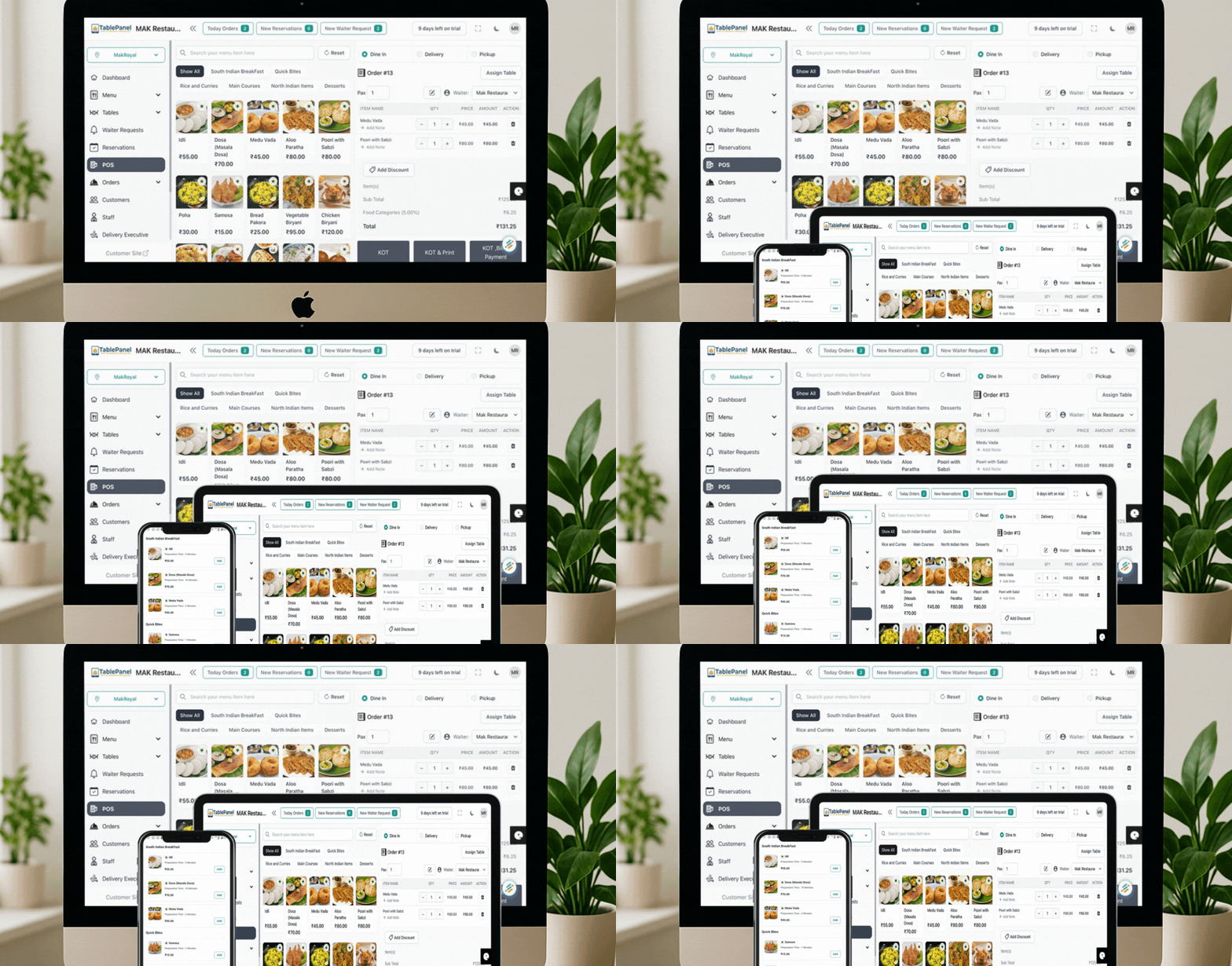
Take Control of Your Restaurant
Streamline Order Management
See every order—dine-in, takeout, and delivery—in one view. Speed up service and keep kitchens flowing during rush hours.
Optimize Table Reservations
Real-time table status, easy reservations, and smarter seating to reduce wait times and increase table turns.
Effortless Menu Management
Update items, prices, and availability in seconds. Promote specials and keep every channel in sync.
Common Restaurant Problems
Order chaos
Missed orders, kitchen confusion, and unhappy customers during rush hours.
Manual billing headaches
Calculation errors, tax mistakes, and time-consuming checkout processes.
Inventory guesswork
Running out of popular items, overstocking perishables, and wasted inventory.
TablePanel Solutions
Digital KOTs
Instant order transmission to kitchen displays or printers with real-time status tracking.
Automatic billing & taxes
Error-free calculations, GST compliance, and fast checkout with multiple payment options.
Low-stock alerts & smart ordering
Real-time inventory tracking with automatic alerts and usage-based ordering suggestions.
Powerful Features for Modern Restaurants
QR Code Menu
Contactless ordering made easy
Payment Gateway Integration
Stripe & Razorpay (cards, UPI, wallets)
Staff Management
Role-based logins & permissions
Integrated POS
Orders, billing, and payments in one place
Custom Floor Plans
Visual table layout & status
Kitchen Order Tickets (KOT)
Send to kitchen displays/printers
Business Reports
Sales, peak hours, popular items, revenue
Bill Printing
Branded bills; email or print
Feature Deep-Dives
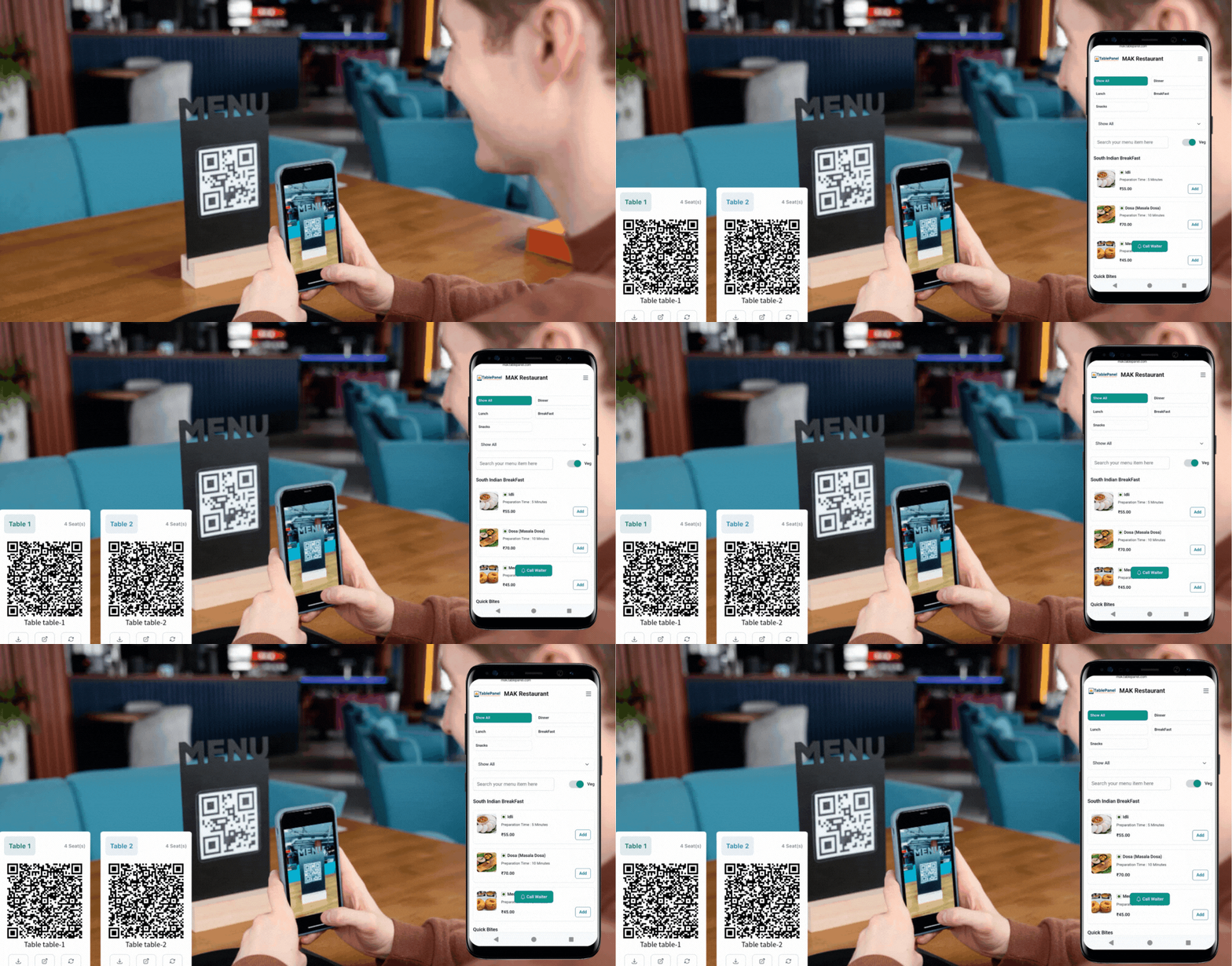
QR Code Menu
- Faster ordering during rush hours
- Fewer menu reprints when items or prices change
- Intelligent upselling of add-ons and combos
Where it helps:
Perfect for busy restaurants looking to reduce wait times and streamline ordering. Customers scan, order, and pay without waiting for staff.
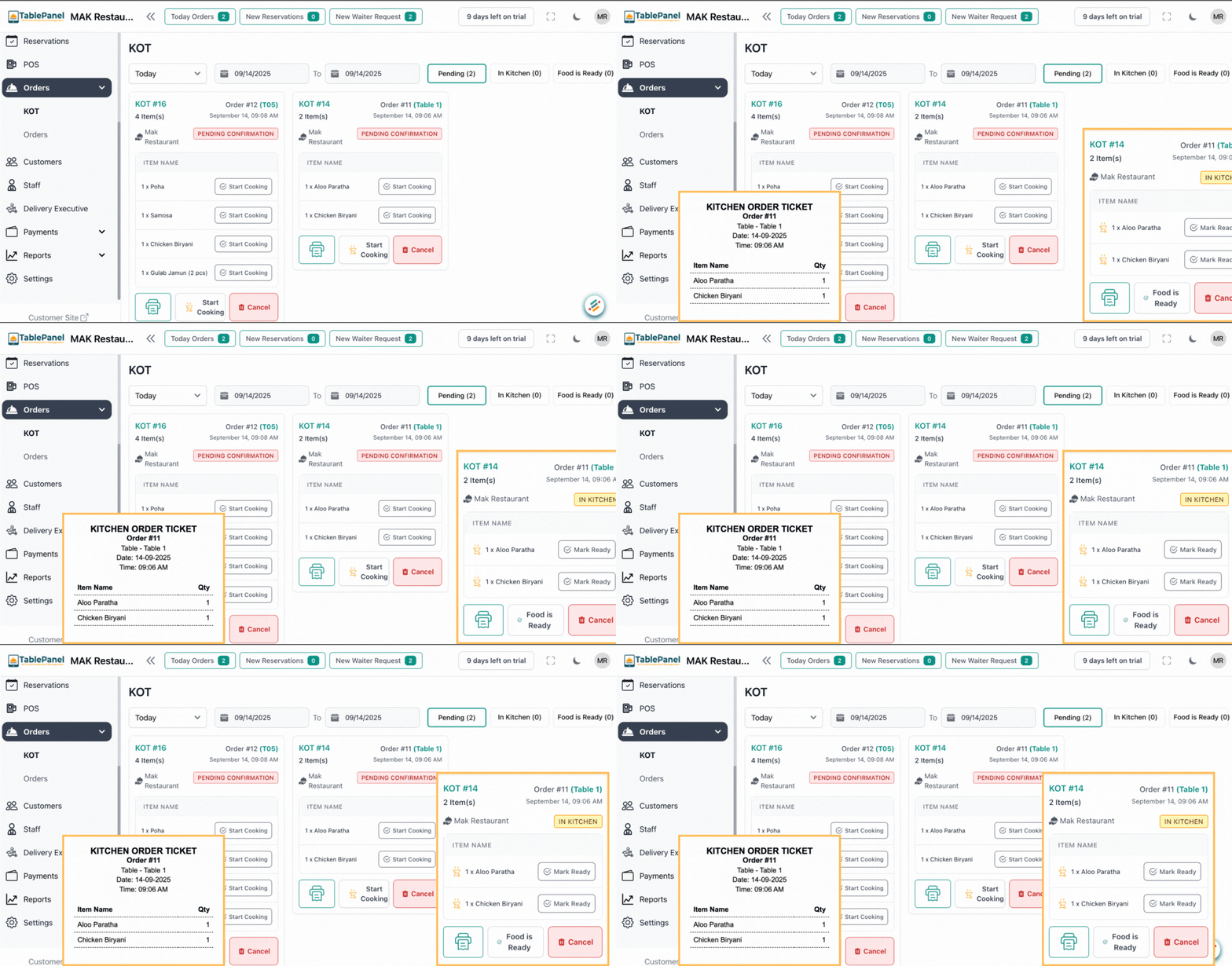
Order Management + KOT
- One-tap send to kitchen with instant confirmation
- Reduce mis-fires and forgotten orders
- Dramatically improve speed of service
Where it helps:
Essential for restaurants with separate kitchen areas. Eliminates paper tickets, reduces errors, and keeps your kitchen and service staff in perfect sync.
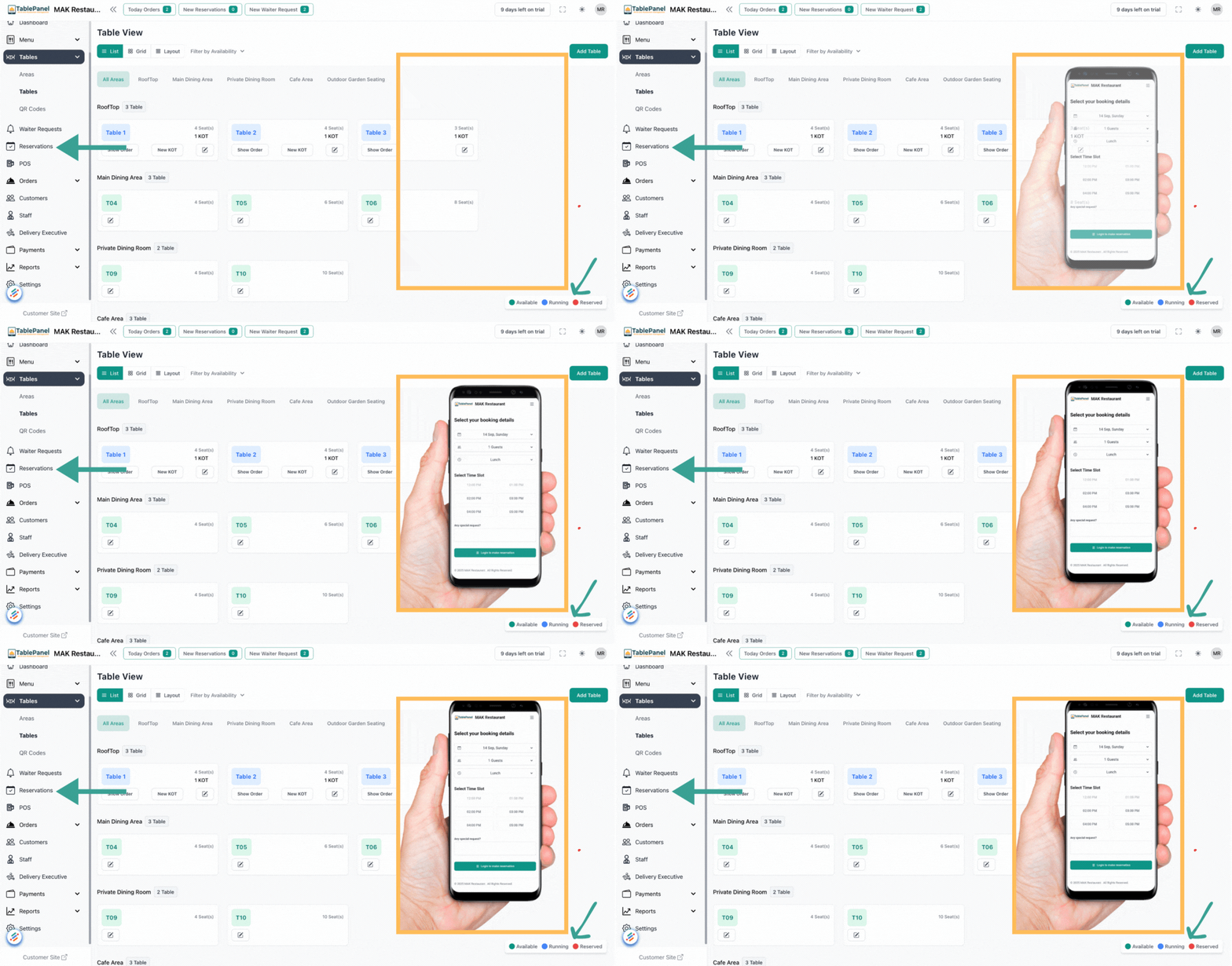
Table & Reservations
- Real-time occupancy and table status tracking
- Digital waitlist with SMS notifications
- Turn-time insights to optimize seating
Where it helps:
Ideal for restaurants with high table turnover. Maximize seating efficiency, reduce wait times, and create a smoother dining experience for guests.
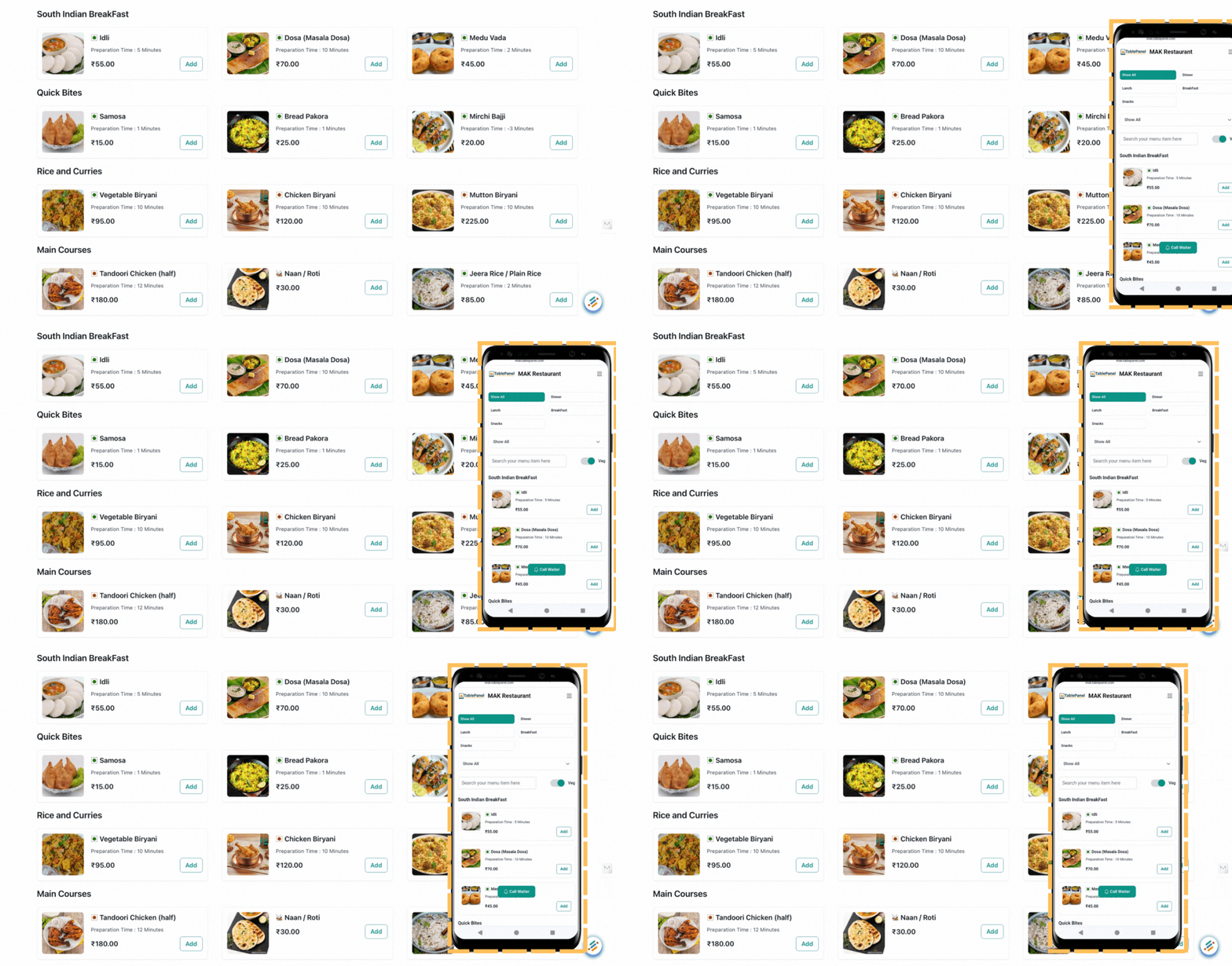
Menu & Pricing
- Easily create and promote daily specials
- Time-based pricing for happy hours and events
- Real-time item availability updates
Where it helps:
Perfect for restaurants with frequently changing menus or seasonal offerings. Update once and instantly sync across all ordering channels.

Payments (UPI, Cards & Wallets)
- Easily split bills between multiple customers
- Accept tips, process refunds, and track all transactions
- Support for UPI, cards, and digital wallets
Where it helps:
Essential for modern restaurants needing flexible payment options. Streamline checkout, reduce errors, and offer customers their preferred payment methods.
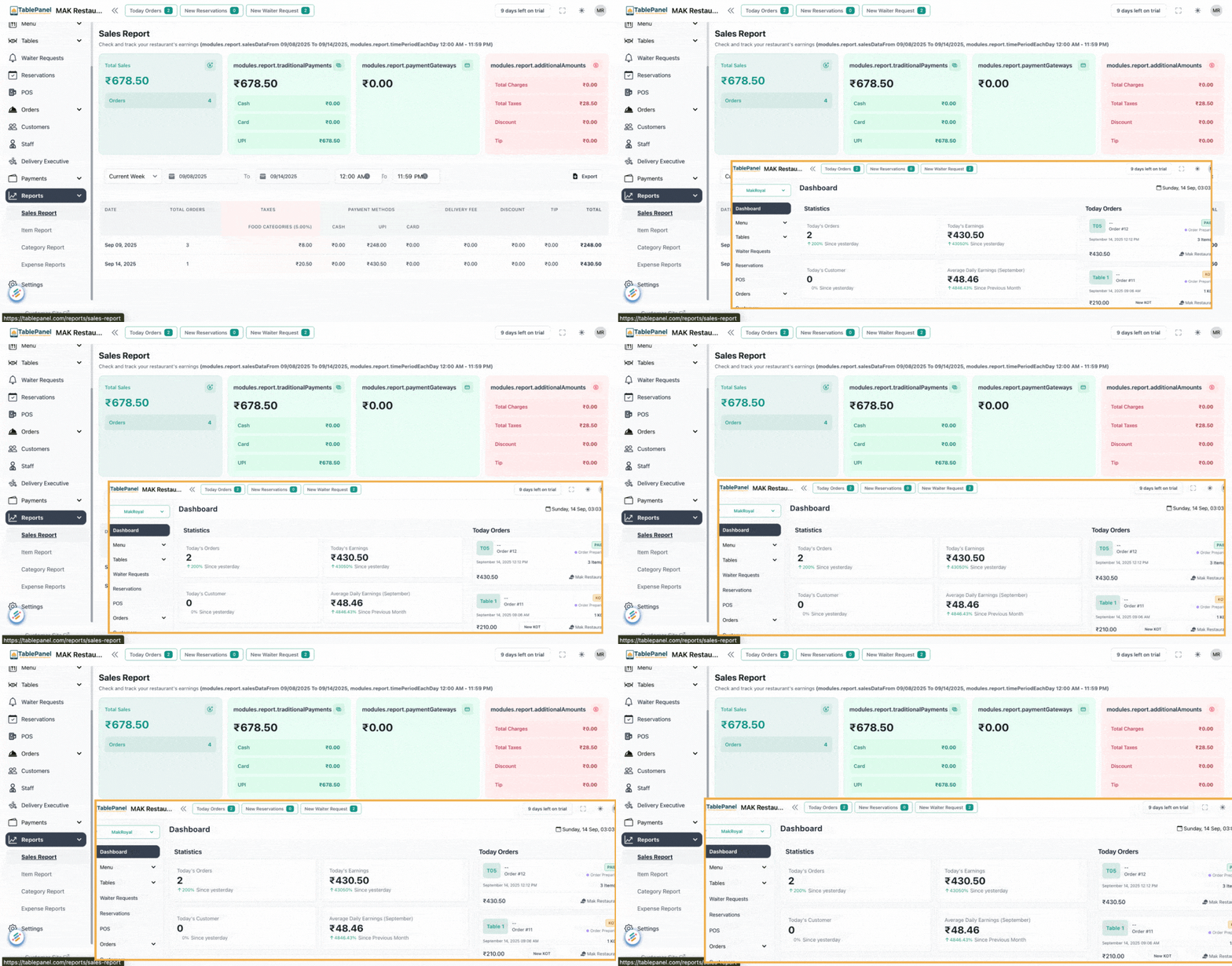
Reports & Analytics
- Detailed sales by hour, day, week, and month
- Item profitability and popularity tracking
- GST summaries and tax reporting
Where it helps:
Critical for data-driven restaurant management. Identify trends, optimize staffing, and make informed decisions about menu offerings and pricing.
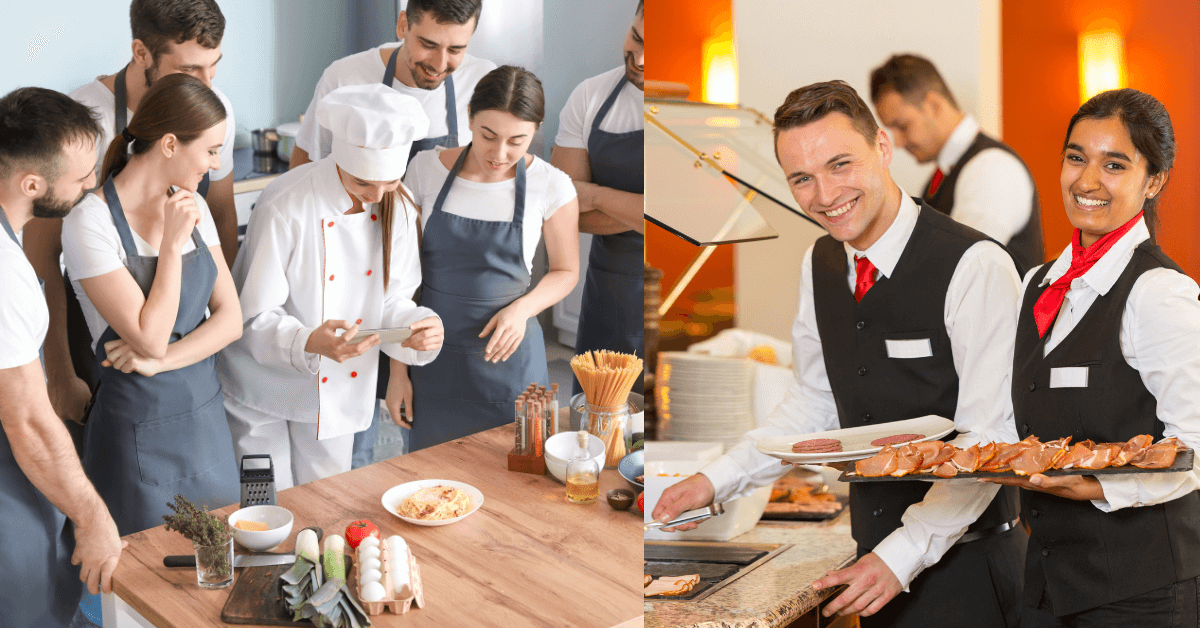
Staff & Roles
- Role-specific dashboards for different staff members
- Detailed activity logs for accountability
- Secure permissions for sensitive operations
Where it helps:
Perfect for restaurants with multiple staff roles. Ensure proper access control, track performance, and maintain security for your business data.
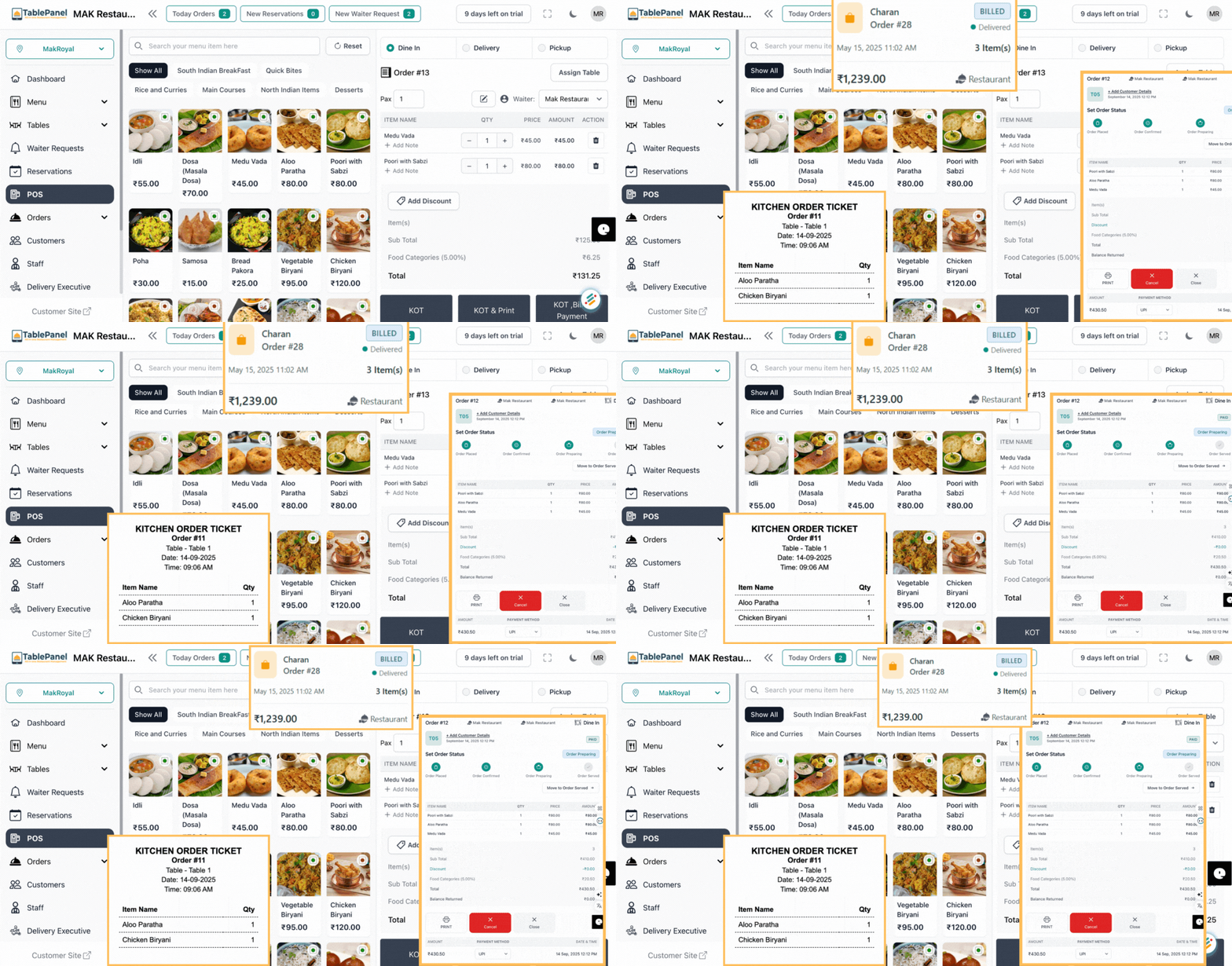
Bill Printing & E-receipts
- Professionally branded invoices with your logo
- Send receipts via WhatsApp or email
- GST-compliant receipt formatting
Where it helps:
Essential for all restaurants. Create a professional checkout experience, maintain tax compliance, and offer customers convenient digital receipt options.
What Our Customers Say
"TablePanel transformed our operations. Orders flow smoothly from customers to kitchen, and we've increased our table turns by 30%. The digital KOT system eliminated kitchen confusion during rush hours."
Rahul Sharma
Spice Garden, Jaipur
"The QR menu feature was a game-changer for us. Customers love ordering at their own pace, and our staff can focus on service instead of taking orders. Our average order value increased by 15%."
Priya Mehta
Urban Cafe, Ahmedabad
"The reporting features help us make smarter decisions. We identified our peak hours, optimized staffing, and discovered which menu items were most profitable. TablePanel paid for itself within the first month."
Amit Kumar
Punjabi Dhaba, Chandigarh
Get Started in 3 Simple Steps
Sign Up
Create your account and select your plan
Quick Setup
Configure your menu, tables, and staff
Go Live
Start taking orders and managing your restaurant
No credit card required. Cancel anytime.
Simple, Transparent Pricing
Community
1 Branch • Unlimited Staff • 2 Devices
- POS + KOT + QR • Basic Reports . Email Support
No credit card required. Cancel anytime.
Growth
Up to 5 Branches • Unlimited Staff • 5 Devices
- Reservations • Expenses • Advanced Reports . Priority support
No credit card required. Cancel anytime.
Scale
Unlimited Branches • Unlimited Staff • Unlimited Devices
- Multi-Branch • Advanced Analytics . 24×7 Support
No credit card required. Cancel anytime.
| Feature | Community | Growth | Scale |
|---|---|---|---|
| POS Core (Orders, Billing) | ✓ | ✓ | ✓ |
| KOT (Kitchen Tickets) | ✓ | ✓ | ✓ |
| QR Code Menu | ✓ | ✓ | ✓ |
| Table Management | ✓ | ✓ | ✓ |
| Reservations | ✗ | ✓ | ✓ |
| Menu & Pricing Editor | ✓ | ✓ | ✓ |
| Customers (CRM/visit history) | ✓ | ✓ | ✓ |
| Staff & Roles (separate logins/permissions) | ✓ | ✓ | ✓ |
| Payment Gateway (Stripe/Razorpay, UPI/cards/wallets) | ✓ | ✓ | ✓ |
| Reports (Daily/Monthly/GST export) | Basic | Advanced | Advanced |
| Export Reports (CSV/XLS) | ✓ | ✓ | ✓ |
| Expenses Tracking/Inventory | ✗ | ✓ | ✓ |
| Theme/Branding Settings | ✗ | ✓ | ✓ |
| Delivery Executive Module | ✗ | ✓ | ✓ |
| Waiter Request Alerts | ✓ | ✓ | ✓ |
| Multi-Branch / Change Branch | ✗ | ✗ | ✓ |
| Support Level | Priority | 24×7 | |
| Staff Accounts | Unlimited | Unlimited | Unlimited |
| Devices/Terminals | 2 | 5 | Unlimited |
| Data Retention & Backups | Standard | Extended | Advanced |
Need a custom solution for chains?
Frequently Asked Questions
How can I contact customer support?
Our support team is available via email at support@tablepanel.com. Growth plan customers receive priority support with faster response times, while Scale plan customers enjoy 24×7 support access.
Which hardware do I need to use TablePanel POS?
TablePanel works on any modern tablet, smartphone, or computer with internet access. For optimal experience, we recommend tablets (Android or iPad) for order-taking, a thermal printer for receipts, and optionally a kitchen display or printer for KOTs.
Do you offer training?
Yes, all plans include access to our video tutorial library and documentation. Growth and Scale plans include personalized onboarding sessions. We also offer custom training packages for larger teams.
How many POS licenses for multiple counters?
One license runs all counters. The Community plan supports up to 2 devices, Growth plan supports up to 5 devices, and Scale plan supports unlimited devices accessing your TablePanel account simultaneously.
Is support available in local languages?
Yes, our support team can assist you in Telugu, Hindi, Urdu, and English. The software interface is currently available in English, with more language options coming soon.
What happens to my data after the 14-day free trial ends?
Your data remains securely stored for 30 days after your trial ends. If you subscribe within this period, you'll regain full access to your data. After 30 days, data is archived and may require a restoration fee to access.



Ready to Transform Your Restaurant Management?
Answer a few questions and we'll tailor your setup.